
Technology
Projects, tickets, floor plans and AI assistance in one app – for iOS, Android and Windows and as a cross-platform PWA. In the office and on the move, online and offline.
The all-in-one app
Everything in one app: until now, you handled tickets, technical recording, inventory and time tracking through separate applications. The VITRICON® Mobile App brings these tasks together in a single mobile solution – one login, one interface, one synchronisation. No more constant switching between multiple apps.
The VITRICON® Mobile App is the all-rounder for the entire working day in the field and replaces the previous individual apps. Switch now and benefit from seamless workflows right on site – a valuable aid for technicians, caretakers and FM service providers.
Get the app


Your functions
Task-oriented CAFM on the go: the VITRICON® Mobile App puts exactly the projects, tickets and plans assigned to your team on the device – clearly laid out, editable in a few taps and supported by artificial intelligence.
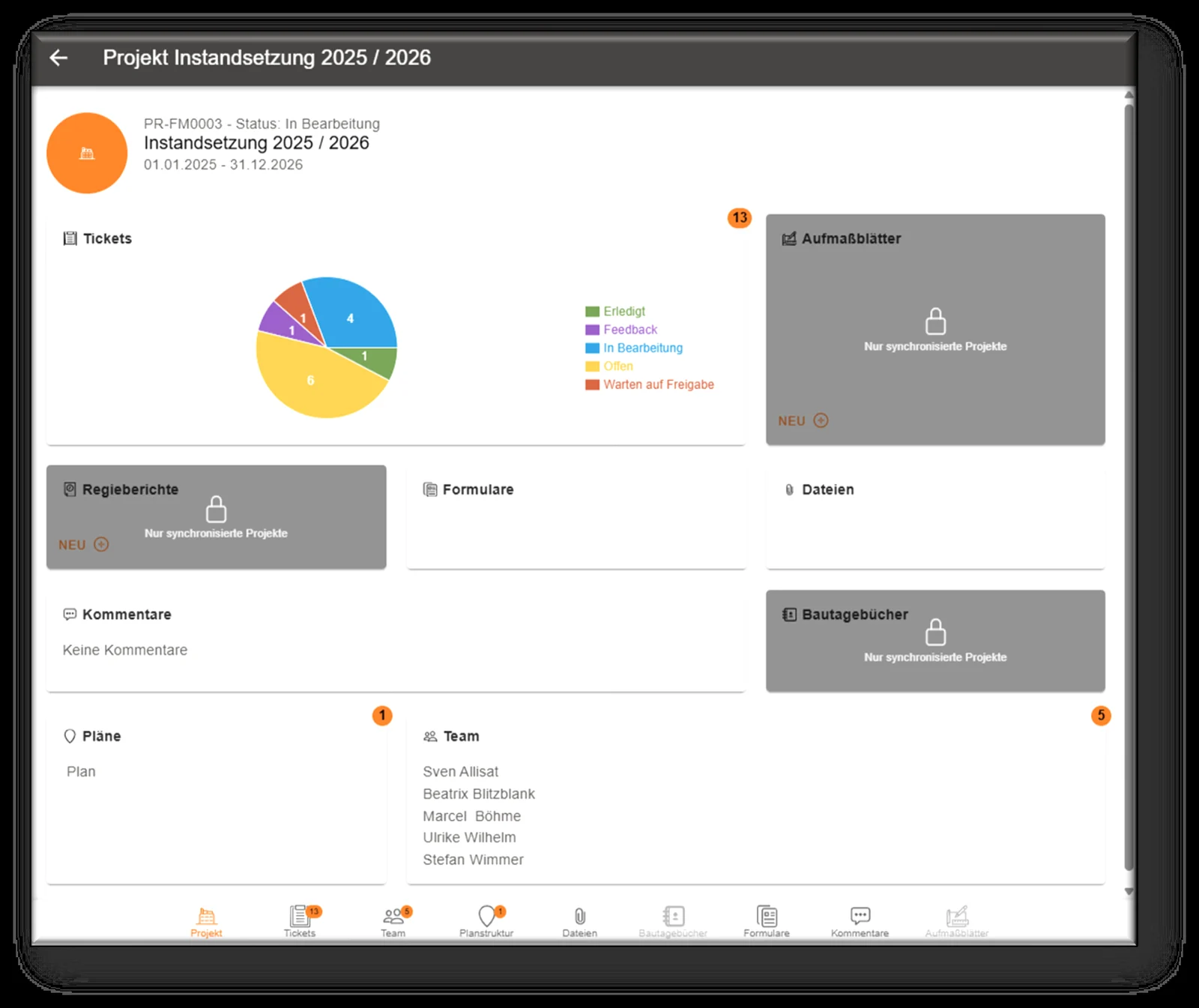
All projects and tickets assigned to you are synchronised to the device. The project view shows at a glance how many tickets are open, in progress or done – together with team, plans, files and comments.
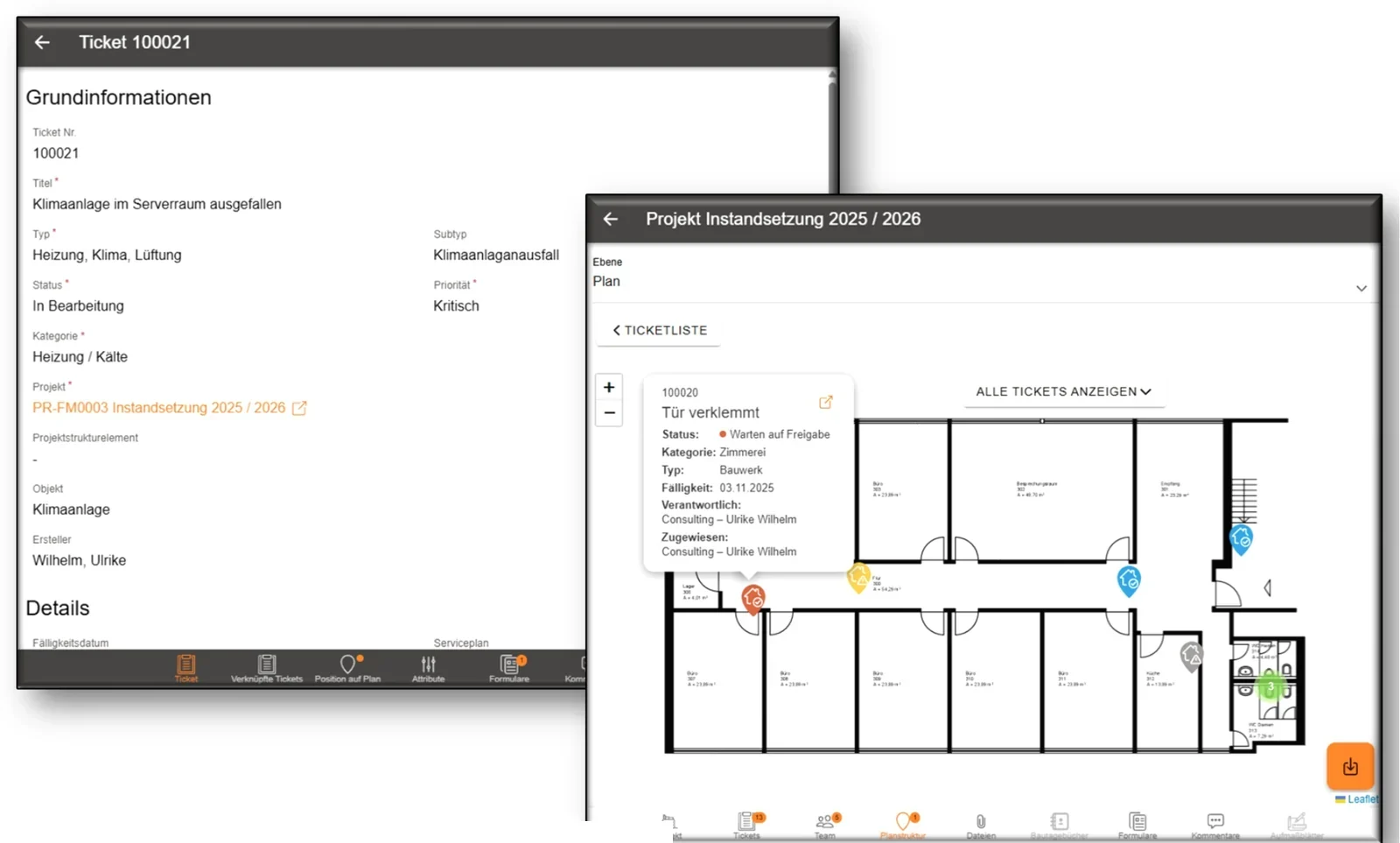
From the ticket list straight to the floor plan: the app guides you through the plan structure to exactly where the work is waiting – and you handle everything else right on the device.
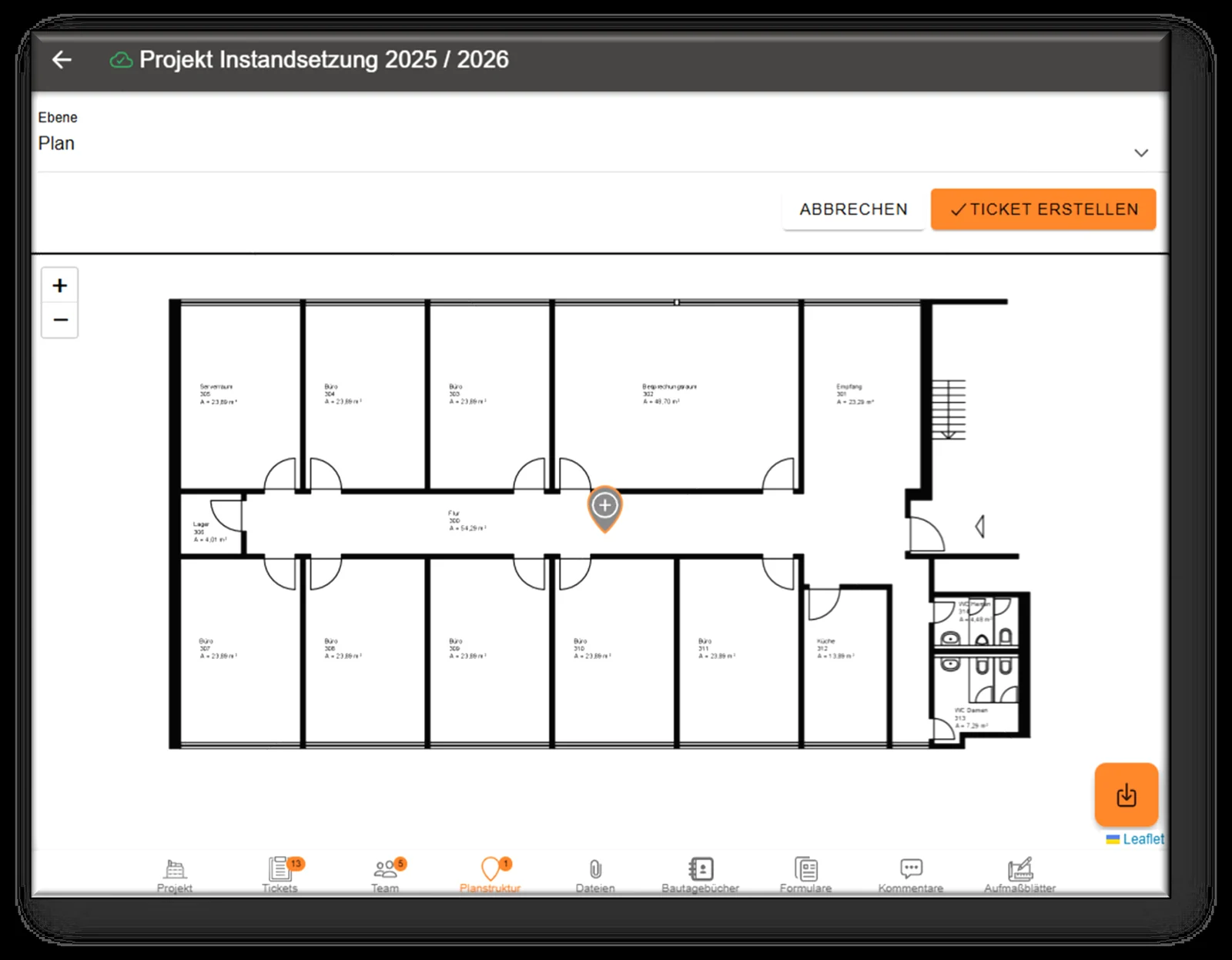
Spotted a defect? Create the ticket on site in the floor plan and mark the exact position. Everyone involved immediately knows where action is needed – without lengthy descriptions.
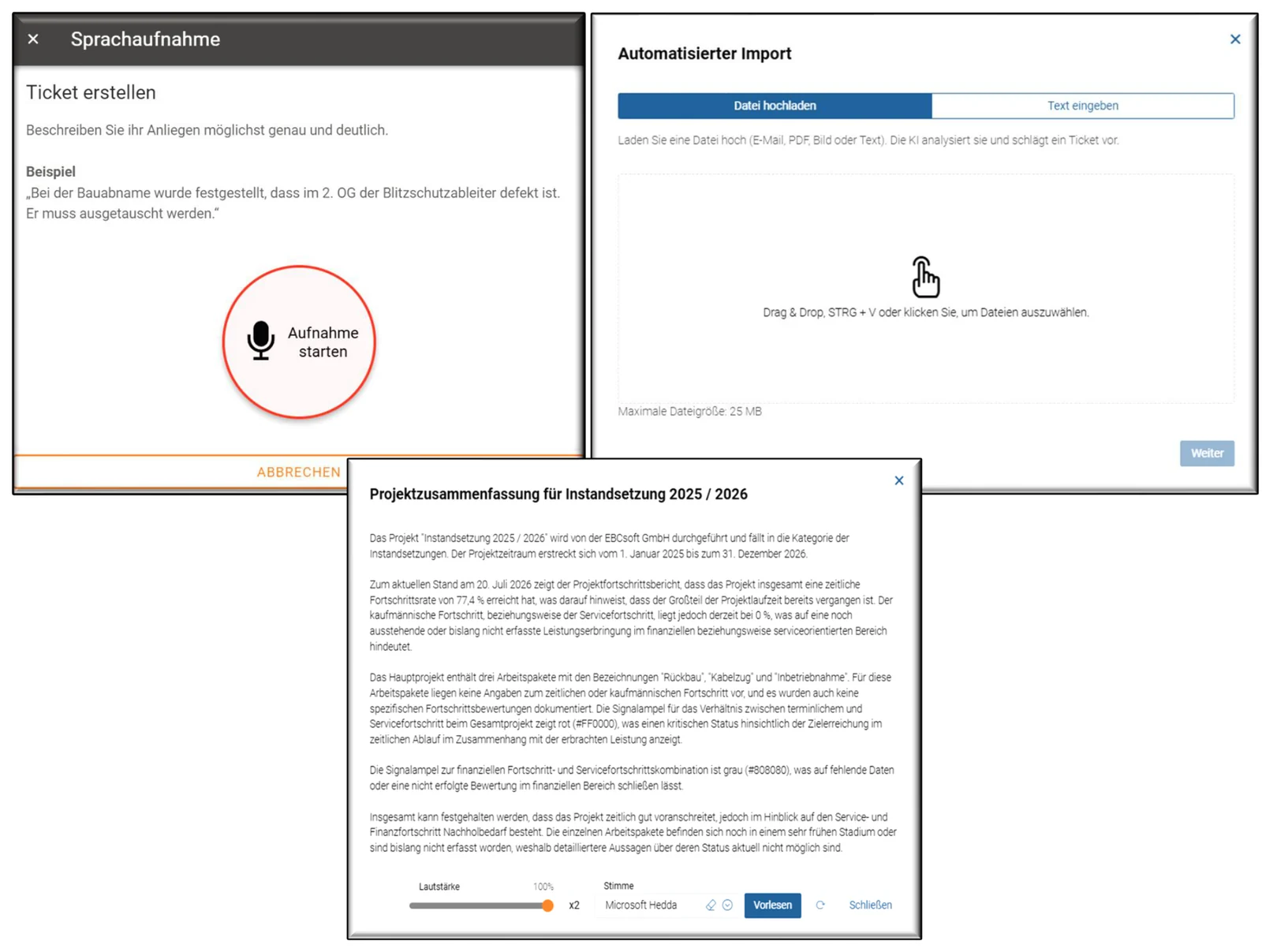
Artificial intelligence takes routine work off your hands: tickets are created by voice or automatically from emails and PDFs, and the app summarises extensive reports at the push of a button – and reads them aloud if you like.
Digital documentation of buildings – mobile, in real time. The VITRICON® Mobile App is designed for mobile use and is therefore the ideal complement to our CAFM system VITRICON®. No matter which device you use, the VITRICON® Mobile App for Android, iOS and Windows gives you full on- and offline functionality.
Processes synchronised online can also be edited offline without a connection to the network. The VITRICON® Mobile App is characterised by extremely simple navigation, uncomplicated operation and fast synchronisation.
FAQ
The VITRICON® Mobile App is available for iOS, Android and Windows and can also be used as a cross-platform PWA – on smartphones, tablets and in the office.
Yes. Processes synchronised online can be edited offline. As soon as a connection is available again, the changes are synchronised with VITRICON®.
Tickets can be created by voice recording or automatically created and classified from emails and PDFs. The AI also prioritises and completes tickets and summarises tickets, maintenance reports and projects.
Yes. Tickets, technical recording, inventory and time tracking are combined in the VITRICON® Mobile App – with one login and one synchronisation.
Test free of charge
Basic website functions and form submission. Cannot be disabled.
Google Analytics 4 for pseudonymised analysis of website usage, delivered via Google Tag Manager. Nothing is loaded without your consent.
In addition, Leadinfo identifies the companies behind website visits (B2B). Individual people are not identified.